











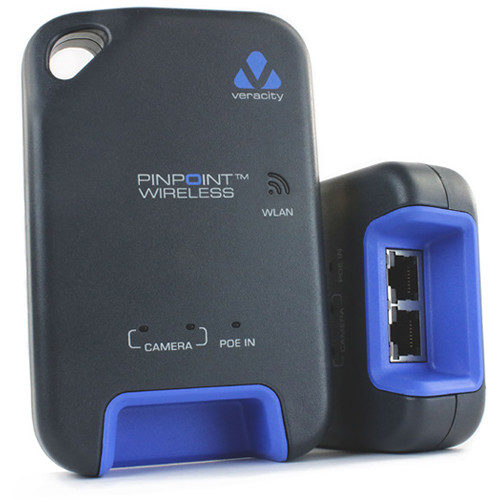

The VAD-PPW from Veracity is a PINPOINT wireless installation tool designed to simplify the setup of POE IP cameras. With the ability to wirelessly connect to a smartphone, tablet, or laptop, it allows users to view camera images locally, making adjustments to lens focus and viewing angles quick and efficient, ultimately enhancing installation speed and reducing time spent on site.
Veracity VAD-PPW Key Features
- Local Viewing: Allows local viewing of IP camera images on smartphone, tablet, or laptop close to camera, providing immediate feedback during installation.
- Precise Adjustments: Enables rapid and precise adjustment of lens focus and viewing angle, ensuring optimal camera positioning.
- Power Over Ethernet: Uses Power over Ethernet from the network – no local power is required, simplifying installation and reducing the need for additional power sources.
- Increased Efficiency: Increases installation speed and efficiency, vastly reducing time on site, which can save on labor costs.
- Compatible App: CAMPOINT Installation tool App for iOS & Android allows for easy operation and monitoring directly from mobile devices.
- Quick Installation: Installs in seconds and removes in seconds, making it convenient for both temporary and permanent setups.
Veracity VAD-PPW Detailed Specifications
| Product Type | Wireless Installation Tool |
| Compatibility | POE IP Cameras |
| Wireless Connection | Smartphone, Tablet, Laptop |
| App Compatibility | iOS & Android |
| Installation Time | Seconds |
| Power Requirement | Power over Ethernet |
Reviews
There are no reviews yet.